Call Handling
Published on Aug 31, 2026
Call Forwarding vs Call Routing vs Call Transfer: What’s the Difference?

Rexpt Editorial Team
9 min read
Call forwarding, call routing, and call transfer all move business calls, but they solve different problems. Learn how each works, when to use it, and how they can work together.
A customer calls your main business number while the office manager is away from the desk. Should the call go to their mobile phone?
Another caller reaches the business and needs sales rather than support. Should the phone system decide where that call belongs?
A third caller is already speaking with someone but now needs another employee. Should the active conversation be moved?
These situations involve three related but different phone functions: call forwarding, call routing, and call transfer.
Because all three can result in a call reaching a different phone, person, or department, the terms are often used interchangeably. But they operate at different points in the call journey and solve different business problems.
The simplest distinction is:
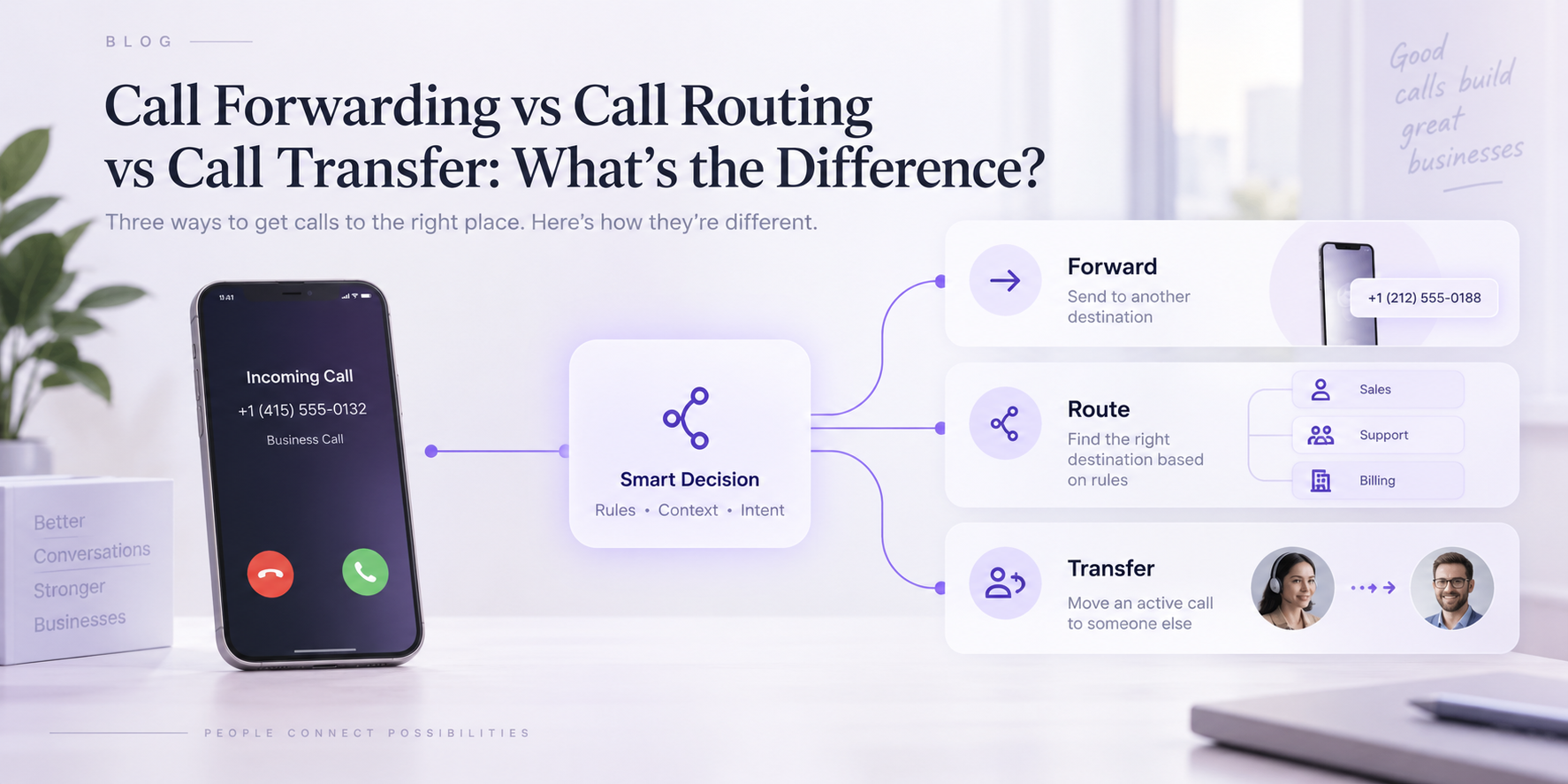
- Call forwarding redirects an incoming call to another destination.
- Call routing decides which destination should receive an incoming call based on rules or context.
- Call transfer moves an active call after it has already been answered or connected.
Understanding that difference makes it much easier to design a business phone workflow that matches how your team actually handles calls.
Call Forwarding vs Call Routing vs Call Transfer at a Glance
| Concept | What It Does | When It Happens | Simple Example |
|---|---|---|---|
| Call Forwarding | Redirects an incoming call to another number or extension | Before the intended recipient answers | Office number forwards to an employee's mobile |
| Call Routing | Determines which person, department, queue, or workflow should receive the call | As the system decides how to handle the inbound call | Sales enquiries go to sales; support calls go to support |
| Call Transfer | Moves an active conversation to another destination | After the call has already been answered | Receptionist answers, then transfers caller to billing |
These functions can overlap inside modern phone systems. Routing logic may eventually forward a call to an external number, while an AI receptionist may first answer a call and then transfer it to a person.
The better way to distinguish them is not by asking whether the call “moves.” All three can move calls.
Ask why the call is moving and at what point in the conversation that decision happens.
What Is Call Forwarding?
Call forwarding redirects incoming calls from one phone number or extension to another destination.
For example, a small-business owner may have customers call the office number but forward those calls to a mobile phone while working away from the office. Businesses can also forward unanswered calls to another employee, an answering service, an AI receptionist, or another line.
Forwarding can be permanent or conditional, depending on the phone system.
Common conditions include:
- Forward every call
- Forward when the line is busy
- Forward when nobody answers
- Forward when the original destination is unavailable
- Forward during specific periods, such as after hours
Business phone systems may also support variations such as sequential forwarding or simultaneous ringing across multiple destinations. Vonage, for example, documents forwarding options that can send calls to another extension, a series of numbers, or multiple extensions depending on the configuration.
A Simple Call Forwarding Example
Imagine a plumbing company has one public office number.
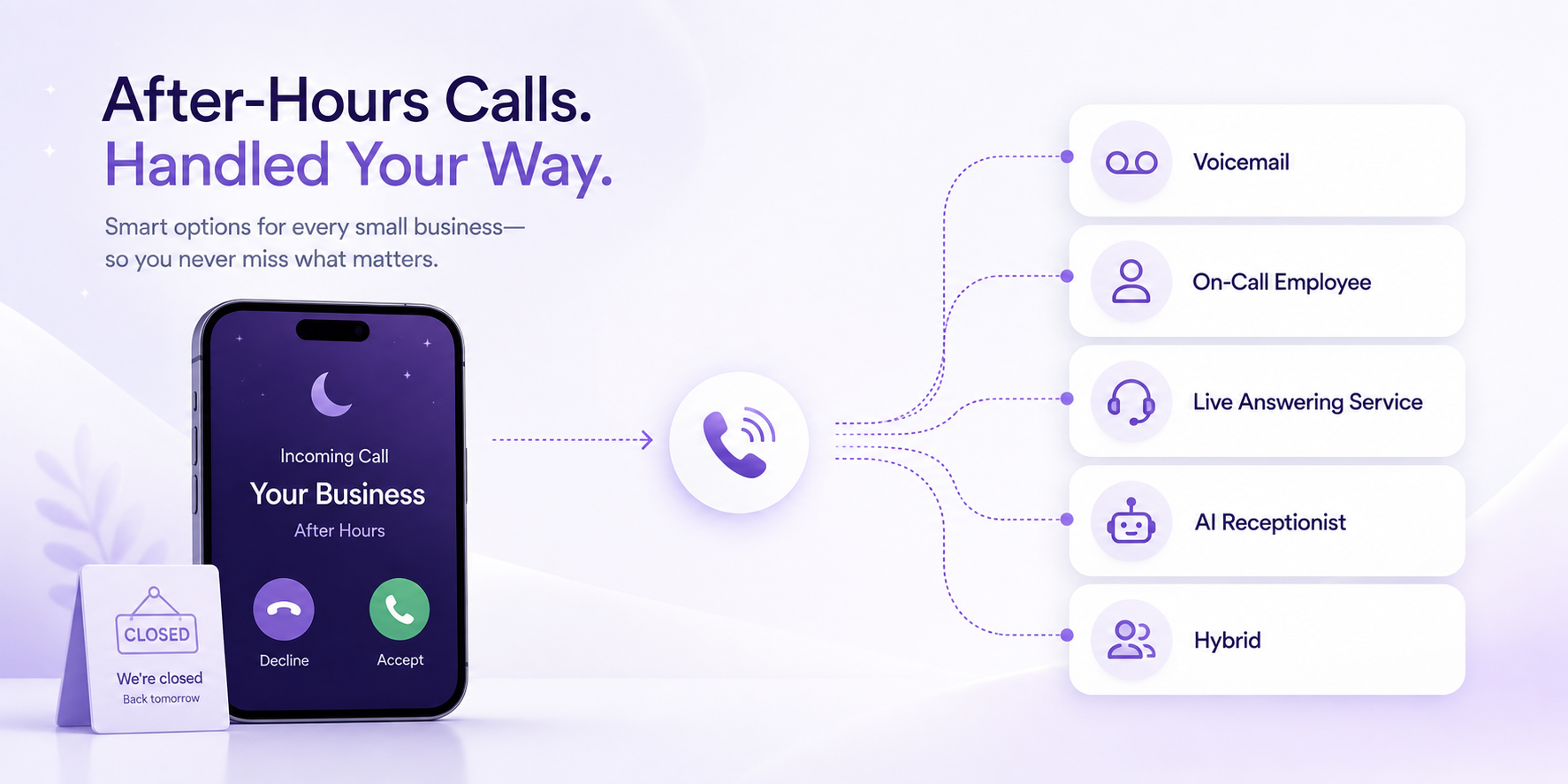
During office hours, calls normally ring at the front desk. When the office closes, the business may configure calls to forward elsewhere.
That destination could be:
- An owner's phone
- An on-call employee
- A live answering service
- An AI receptionist
- Another business line
The caller still dials the same published number. The forwarding setup changes where that incoming call is delivered.
For a trade-specific example, see our guide to call forwarding for plumbing businesses.
What Is Call Routing?
Call routing is the logic used to determine where an incoming call should go.
Instead of simply redirecting every call from A to B, routing can evaluate predefined criteria and choose the appropriate destination.
Vonage describes call routing as a call-management process that uses predefined rules and criteria to direct inbound calls to the appropriate person or department.
Those rules can vary considerably depending on the phone system and business.
For example, routing could depend on:
- Department requested
- Time of day
- Business hours
- Caller input
- Caller location
- Language
- Team availability
- Whether employees are already busy
- The type of enquiry
- A configured escalation condition
This makes routing more about decision logic than simple redirection.
A Simple Call Routing Example
Suppose a business receives all calls through one main number.
One caller needs sales. Another needs customer support. A third wants an appointment.
Instead of forwarding all three calls to the same person, the system can determine the appropriate destination for each one.
The call flow might look like this:
Sales enquiry → Sales team
Support request → Support team
Appointment request → Booking workflow
The destination changes according to the purpose of the call.
That is routing.
What Is Call Transfer?
Call transfer happens after a call has already been answered or connected.
Someone—or an automated system—answers the caller, determines that another destination is more appropriate, and moves the active call there.
For example, a receptionist may answer:
“Good morning. How can I help?”
The caller explains that they need billing.
The receptionist then transfers the active call to the billing team.
That is different from forwarding because the conversation has already started. Vonage similarly distinguishes call transfer as moving a live call after it has been answered, while forwarding reroutes an inbound call automatically.
Warm Transfer vs Blind Transfer
Call transfers are often divided into two common types.
Blind or Cold Transfer
The call is transferred directly to the new destination without the person initiating the transfer first speaking with the recipient.
For example:
Receptionist → transfers caller directly → Sales
This is quick, but the receiving person may have little context about why the caller is being sent to them.
Warm Transfer
The person handling the call first contacts the receiving employee or department and provides context before completing the handoff.
For example:
Receptionist → speaks with sales → explains caller request → completes transfer
Warm transfers can be useful where context matters, although the exact transfer capabilities depend on the phone system being used.
The Key Difference: Redirect, Decide, or Handoff
A useful way to remember the three concepts is to think about the job each one performs.
Call Forwarding = Redirect
The system already knows the alternate destination.
“Calls to this number should go there instead.”
Call Routing = Decide
The system determines which destination fits the incoming call.
“Based on these rules or this caller's needs, where should this call go?”
Call Transfer = Handoff
The call has already been answered and now needs someone else.
“This conversation has started, but another person or destination should continue it.”
This distinction becomes particularly important as business phone workflows become more sophisticated.
Call Forwarding vs Call Routing: What's the Difference?
Call forwarding is usually simpler.
You configure an incoming call to redirect from one destination to another, either always or when a particular condition is met.
Call routing adds a decision layer.
Instead of saying:
“If nobody answers this number, send the call to John's mobile.”
routing may say:
“If the caller needs sales, send them to sales. If they need support, send them to support. If it's after hours, follow the after-hours workflow.”
The difference is redirection versus selection.
Forwarding can also be one of the mechanisms used inside a broader routing workflow. A routing rule may decide that a particular call belongs with an on-call employee, and the phone system may then redirect the call to that employee's number.
So forwarding and routing are not always competing features.
They can work together.
Call Forwarding vs Call Transfer: What's the Difference?
The main distinction is whether the call has already been answered.
With call forwarding, the phone system redirects the incoming call according to the configured rules.
With call transfer, someone or something is already handling the live conversation before moving it elsewhere.
Consider these two scenarios.
Forwarding:
A customer calls the office at 7:00 PM. After-hours forwarding sends the call to another configured destination.
Transfer:
A receptionist answers the caller at 11:00 AM, learns they need accounts receivable, and transfers the active conversation to finance.
Both calls end up somewhere different from where they started, but the process is different.
Call Routing vs Call Transfer: What's the Difference?
Routing decides the appropriate destination. Transfer is one way of getting an already-connected caller to that destination.
A business may therefore use both during the same call.
For example, an AI receptionist could answer a call and ask what the customer needs.
The system determines that the caller requires sales based on the conversation and configured business rules.
That is routing logic.
The active call is then moved to the sales team.
That is call transfer.
One identifies the destination. The other completes the live handoff.
How the Three Can Work Together
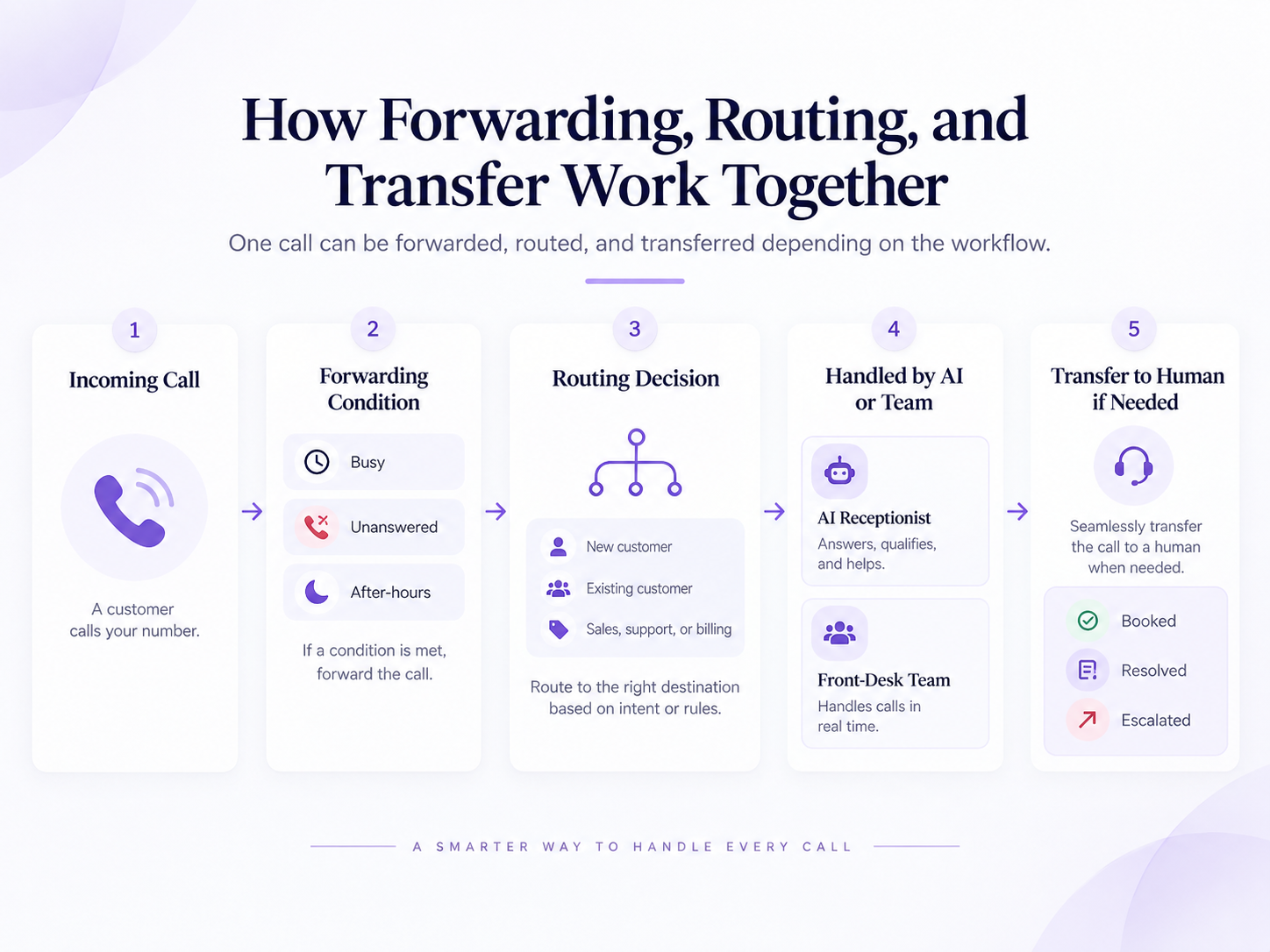
Modern business call handling often combines forwarding, routing, and transferring rather than choosing only one.
Imagine the following workflow:
Step 1: The Customer Calls
The caller dials the business's existing phone number.
Step 2: Forwarding Determines Where the Call Enters the Workflow
Depending on the business setup, calls may forward to another destination when the normal team is unavailable, busy, or outside staffed hours.
Step 3: Routing Determines What the Caller Needs
The caller may identify a department through a menu, or a conversational system may determine the intent from what the caller says.
The workflow then decides the appropriate destination.
Step 4: The Call Is Handled or Transferred
Some requests may be completed within the current workflow. Others may require an employee, team, on-call person, or another destination.
If the call has already been answered and now needs another person, it can be transferred.
This is why looking at each feature in isolation can be misleading.
Good call handling is usually about designing the complete journey rather than choosing one phone feature.
Example: A Small Business With One Main Number
Consider a small service business with one published phone number.
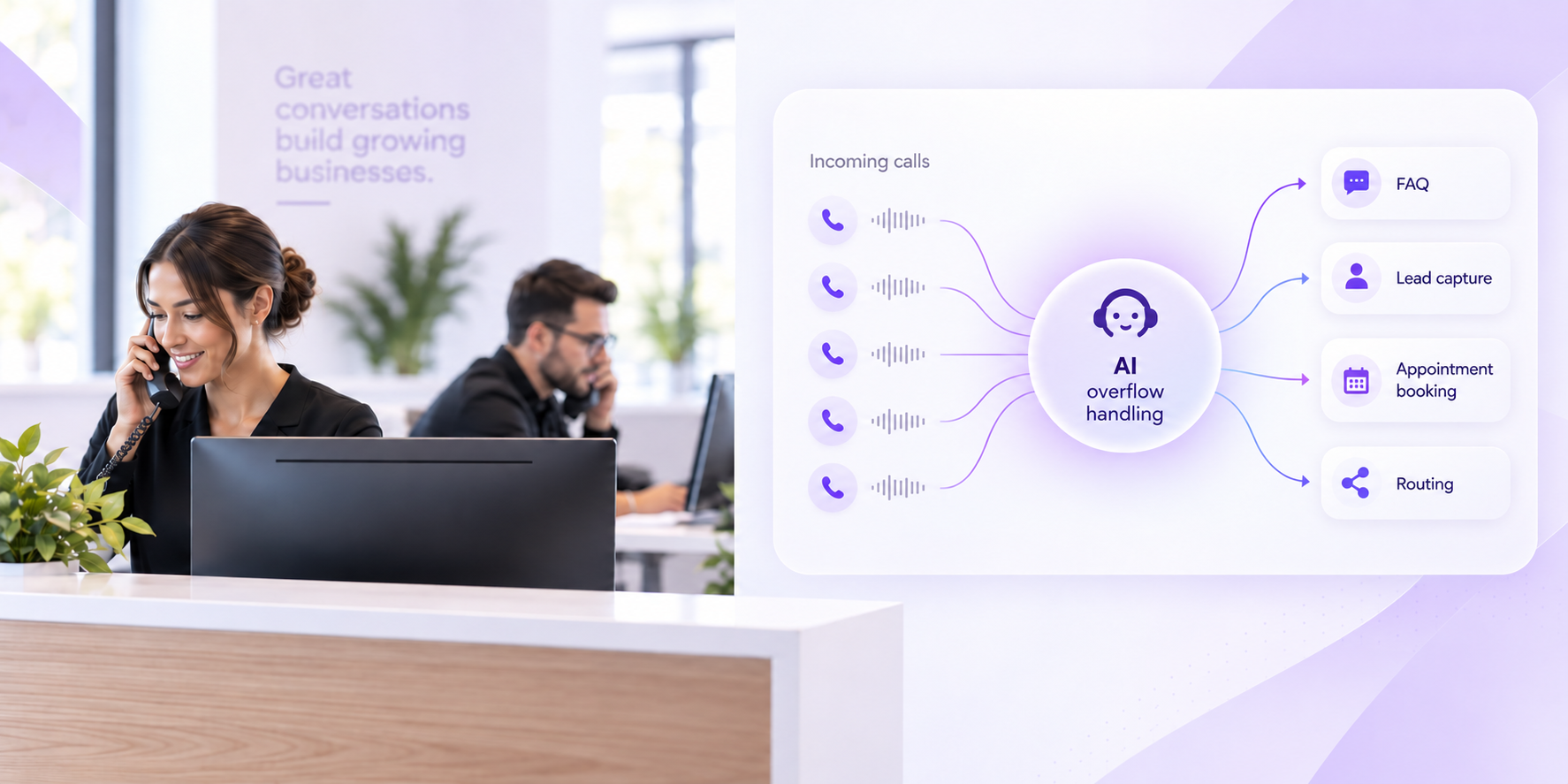
During office hours, employees normally answer calls. If everyone is already busy, the phone setup directs the additional call into an overflow workflow.
That is part of the business's call handling configuration.
The caller explains that they need to schedule routine service. The workflow identifies the purpose of the call and directs it toward the appropriate booking process.
That is routing.
Another caller reaches the same workflow but asks to speak with an employee about an unusual existing-customer issue. After collecting the necessary context, the active call is moved to the appropriate person.
That is transfer.
The business has not chosen between forwarding, routing, and transfer. It is using them at different stages of the same call journey.
Example: After-Hours Call Handling
The same concepts become useful after hours.
Suppose the office closes at 5:00 PM.
Calls received after that time could be forwarded to an after-hours destination. Once there, routine questions may be answered while specific requests follow different routing rules.
A caller asking for tomorrow's business hours may not need anyone else.
A caller requesting an appointment may enter a configured booking workflow.
A request meeting the business's escalation criteria may follow a different path.
If the call needs to reach an available person after the conversation has started, the active call may then be transferred.
For a broader look at those choices, see after-hours phone answering for small businesses.
Example: Overflow Calls
Call routing becomes especially important when your regular team is already occupied.
Imagine three calls arrive while every available employee is busy.
Simply forwarding all three to the same employee may only move the bottleneck somewhere else.
A better workflow may handle the calls according to their purpose. Routine questions can follow one path, appointment enquiries another, and calls requiring human involvement another.
That is why overflow is often a workflow problem rather than simply a phone-capacity problem.
Our guide to AI receptionists for overflow calls explains that scenario in more detail.
Where AI Receptionists Fit
Traditional business phone systems often route calls using menu selections, extensions, schedules, or predefined rules.
A conversational AI receptionist can add another source of routing context: what the caller actually says they need.
Instead of asking every caller to choose:
“Press 1 for sales. Press 2 for support.”
the system can ask:
“How can I help you today?”
The conversation can then be handled according to the configured business workflow.
That may involve answering a known question, capturing caller information, supporting an appointment workflow, determining the appropriate destination, or transferring the caller when human involvement is required.
This is closely related to the distinction we cover in Voice AI vs IVR: menu-driven navigation and intent-driven call handling can both route callers, but they reach the routing decision differently.
How Rexpt Uses Routing and Transfer
Rexpt supports intelligent call routing and transfer as part of its current AI receptionist feature set. Its public product information describes directing calls to the appropriate person or department as part of the call-handling workflow.
The important distinction is that Rexpt is not simply another number to which every call must be sent blindly.
The business can configure information, call flows, appointment handling, lead qualification, routing, and other rules that influence how different conversations should proceed. Rexpt's current product materials also describe configurable call flows and business knowledge as part of the setup.
A caller may therefore remain within the AI workflow for a routine enquiry while another call follows a configured route or human handoff.
The objective is not to transfer more calls.
It is to send the right calls to the right destination while avoiding unnecessary handoffs for conversations that can already be handled appropriately.
Which One Does Your Business Need?
Many businesses need more than one.
You may need call forwarding if:
- Staff regularly work away from the office
- Calls need to reach another number after hours
- Unanswered or busy calls need a backup destination
- You want to keep one public business number while changing where calls are received
You may need call routing if:
- Different callers need different departments or workflows
- Your business has several locations or teams
- Call handling changes by time, availability, or caller need
- Overflow calls should follow different paths
- You want callers directed based on context rather than one universal destination
You may need call transfer if:
- Someone frequently answers calls before determining the correct person
- Receptionists need to hand conversations to specialists or departments
- An AI receptionist or answering service needs to escalate selected calls
- Active calls sometimes need to move from one person or destination to another
If all three situations happen in your business, using all three is entirely normal.
Questions to Ask Before Changing Your Call Workflow
Before changing phone providers or adding new call-handling technology, map your current process.
Ask:
- What number do customers currently call?
- Who normally answers?
- What happens if nobody answers?
- What happens when the line is busy?
- What happens outside business hours?
- Which callers need different departments?
- What information should be collected before a handoff?
- Which calls can be completed without transferring them?
- Which calls should always reach a person?
- What happens if the transfer destination does not answer?
- Should the caller be able to request a person?
- Who owns follow-up when the live call cannot be completed?
Those answers tell you much more than simply asking whether your phone system supports forwarding or routing.
Avoid These Common Call-Handling Mistakes
Forwarding Every Call to One Person
This can simply relocate the interruption rather than solve it.
If every missed office call immediately rings the owner's mobile, the business may technically have forwarding but still lack a scalable workflow.
Building Too Many Routing Paths
More routing options are not automatically better.
A complicated phone tree can force callers to understand your organizational structure before they can explain why they called.
Transferring Without Context
Moving callers repeatedly between employees can create unnecessary friction.
Where possible, collect enough information to help the receiving person understand why the caller has reached them.
Forgetting the Failed-Transfer Path
What happens if the intended person does not answer?
A complete workflow needs a fallback such as another destination, callback request, voicemail, or another defined process.
Treating Every Call the Same
Some calls need information. Others need an appointment. Others need a particular employee.
Call management becomes more useful when the destination depends on what the caller actually needs.
The Best Call Flow Starts With the Caller, Not the Phone Feature
Call forwarding, call routing, and call transfer are not three names for the same thing.
Forwarding redirects the incoming call. Routing decides the appropriate destination. Transfer moves an active conversation after it has already been answered.
In a modern business phone workflow, all three may work together.
A call can be forwarded into the appropriate answering layer, routed according to the caller's needs, and transferred to a person when human involvement is required.
The important question is therefore not:
“Should we use forwarding, routing, or transfers?”
It is:
“What should happen to each type of call from the moment it arrives until the caller reaches the right outcome?”
Start with that workflow.
Then use forwarding, routing, transfers, or a combination of the three to make it work.
Frequently Asked Questions
What is the difference between call forwarding and call routing?

Call forwarding redirects an incoming call to another configured number or extension. Call routing uses rules or context to determine which person, department, queue, or workflow should receive the call. Forwarding can also be used as part of a broader routing process.
What is the difference between call forwarding and call transfer?

Call forwarding redirects an incoming call according to a predefined setup, generally before someone answers at the original destination. Call transfer occurs after a call has already been answered or connected and moves the active conversation to another person or destination.
What is the difference between call routing and call transfer?
Call routing determines where the caller should go. Call transfer is the action of moving an already-connected call to another destination. A system can use routing logic to decide the destination and then transfer the live call there.
Can a business use call forwarding, routing, and transfer together?
Yes. A business might forward unanswered calls into another call-handling workflow, route callers based on their needs, and then transfer selected active calls to an employee. The three functions solve different parts of the same call journey.
Can an AI receptionist route and transfer business calls?
Yes, depending on the platform and configuration. An AI receptionist can use caller context and configured business rules to determine the appropriate workflow or destination, and supported systems can transfer selected calls to a person or department when required.
On this page
- Call Forwarding vs Call Routing vs Call Transfer at a Glance
- What Is Call Forwarding?
- What Is Call Routing?
- What Is Call Transfer?
- Warm Transfer vs Blind Transfer
- The Key Difference: Redirect, Decide, or Handoff
- Call Forwarding vs Call Routing: What's the Difference?
- Call Forwarding vs Call Transfer: What's the Difference?
- Call Routing vs Call Transfer: What's the Difference?
- How the Three Can Work Together
- Example: A Small Business With One Main Number
- Example: After-Hours Call Handling
- Example: Overflow Calls
- Where AI Receptionists Fit
- How Rexpt Uses Routing and Transfer
- Which One Does Your Business Need?
- Questions to Ask Before Changing Your Call Workflow
- Avoid These Common Call-Handling Mistakes
- The Best Call Flow Starts With the Caller, Not the Phone Feature
- Frequently Asked Questions
Stop missing
customer calls.
Rexpt answers calls, qualifies leads, and books appointments 24/7.