Call Handling
Published on Aug 17, 2026
After-Hours Phone Answering for Small Businesses: Options, Costs, and How to Choose

Rexpt Editorial Team
9 min read
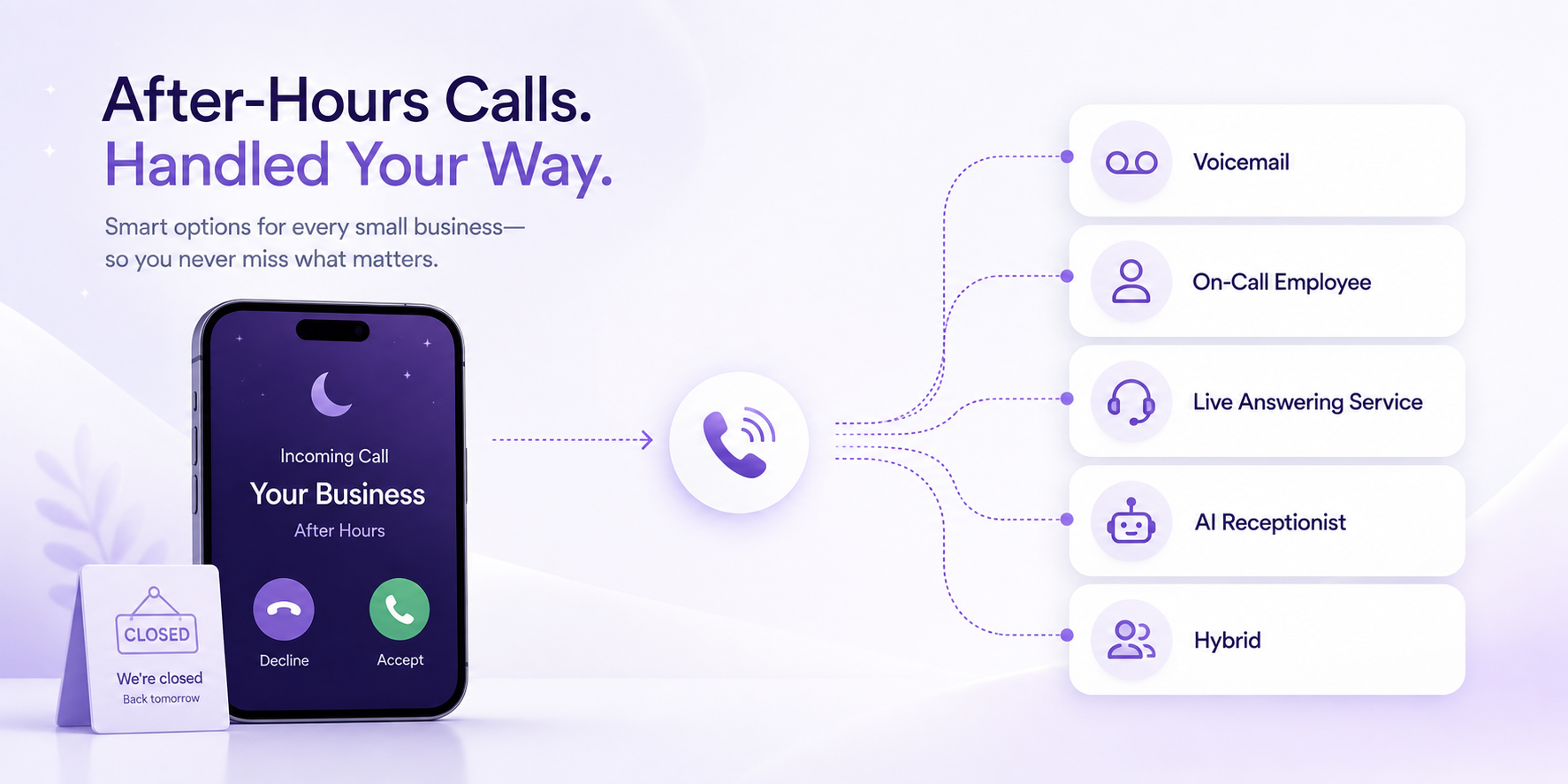
After-hours calls can go to voicemail, an on-call employee, a live answering service, an AI receptionist, or a hybrid setup. This guide explains how each option works, what drives the cost, and how to choose the right approach for your business.
Your business may close at 5 PM. Your customers do not necessarily stop calling at 5 PM.
Someone may call in the evening to request an appointment. A homeowner may need service on a weekend. A prospect may finally have time to call after work. An existing customer may have a question that cannot wait until the next morning.
The challenge is not simply whether the phone rings after hours.
It is deciding what should happen when it does.
Small businesses have several options: voicemail, forwarding calls to an on-call employee, using a live answering service, deploying an AI receptionist, or combining multiple approaches.
Each has different costs, capabilities, and limitations.
The right choice depends on your call volume, the types of calls you receive, how quickly callers need an answer, and how much human judgment those conversations require.
This guide breaks down the options without assuming that one solution is right for every business.
What Is After-Hours Phone Answering?
After-hours phone answering is the process a business uses to handle inbound calls outside its normal staffed hours, including evenings, weekends, holidays, and other periods when the regular team is unavailable. Coverage can range from voicemail and call forwarding to live receptionists, AI receptionists, or hybrid workflows. The right setup depends not only on who answers the call, but also on what the caller needs to accomplish next.
That last part matters.
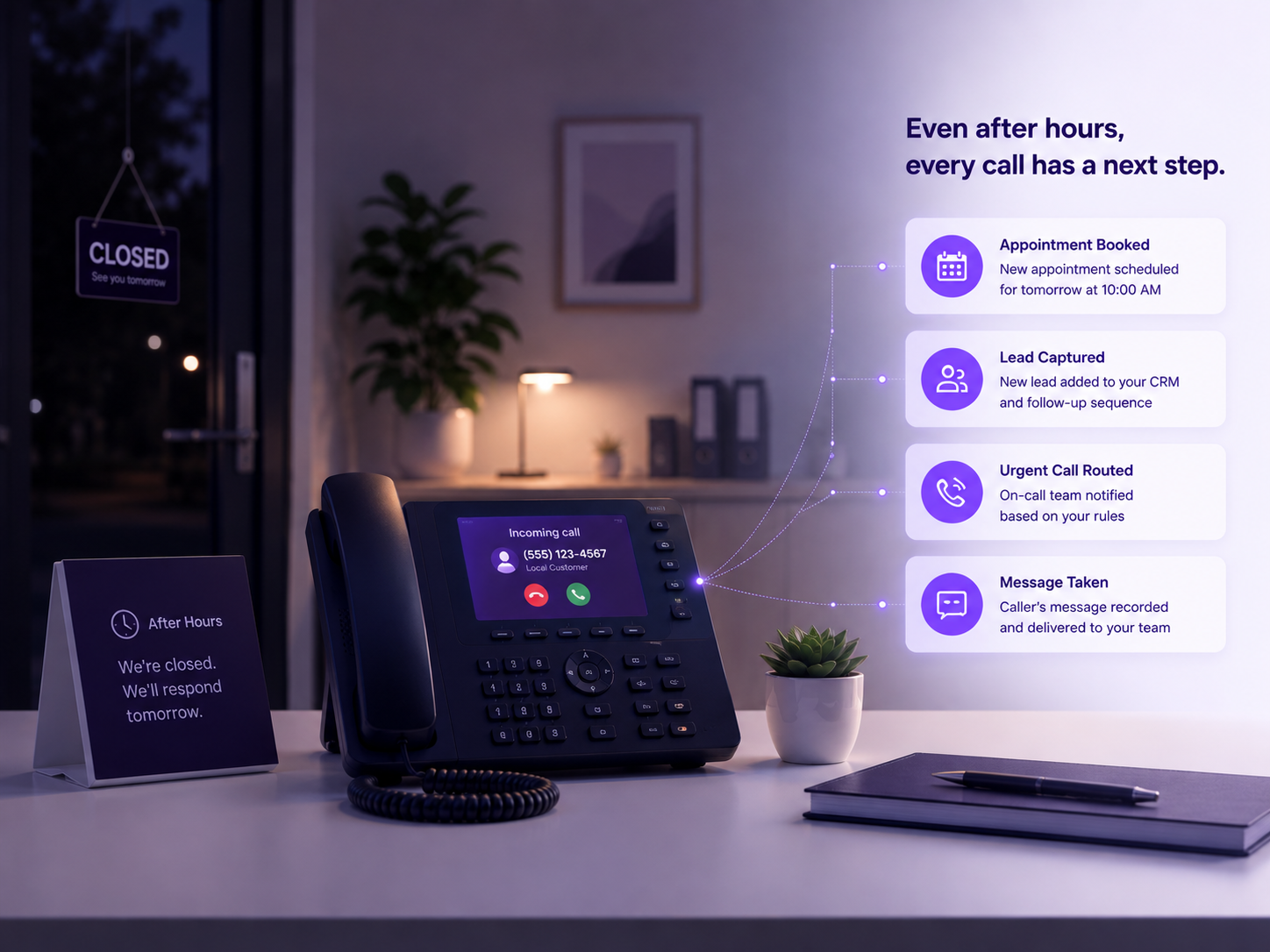
An after-hours call can end in very different ways:
- The caller leaves a voicemail.
- An employee receives the forwarded call.
- A receptionist takes a message.
- An appointment gets booked.
- A new lead is qualified.
- An urgent request reaches the on-call person.
- A routine question gets answered.
- The business receives structured information for follow-up the next morning.
So “after-hours answering” should not be evaluated only by whether someone or something picks up.
A better question is:
What outcome should each type of after-hours caller receive?
Why After-Hours Coverage Is Really a Workflow Problem
Consider two calls arriving at 8:30 PM.
The first caller wants to know whether your business serves their ZIP code.
The second has an urgent service issue that matches your criteria for contacting the on-call team.
Both calls are after hours.
But they should not necessarily follow the same path.
Sending both to voicemail may create unnecessary delay.
Sending both directly to the owner may create unnecessary interruptions.
Treating both as urgent creates another problem.
A useful after-hours workflow separates calls based on what they actually need.
That might mean:
Routine question → answer using approved business information
Appointment request → collect details or book when the relevant scheduling workflow is configured
New lead → capture and qualify
Urgent business request → follow the configured escalation path
Complex or sensitive request → human callback or transfer
Actual threat to life or safety → appropriate emergency-services procedure
This is the operational layer that often gets missed when businesses compare answering options.
Option 1: Voicemail and Next-Day Callback
Voicemail is still a reasonable option for some businesses.
It is simple, familiar, and usually requires very little additional setup.
A caller hears your greeting, leaves a message, and someone from the business reviews it later.
Where voicemail works well
Voicemail may be sufficient when:
- After-hours call volume is low.
- Most calls are non-urgent.
- Customers are comfortable waiting.
- Your team reliably checks messages.
- Someone clearly owns the callback process.
- Very little needs to happen during the initial call.
The problem is not voicemail itself.
The problem is expecting voicemail to perform work it was never designed to do.
Voicemail can capture a message.
It does not normally qualify the caller, check availability, book an appointment, apply routing rules, or ask structured follow-up questions.
That leaves more work for the team when business hours resume.
For more context on this distinction, see the Rexpt guide: What an AI receptionist does differently from voicemail.
Option 2: Forward Calls to an Owner or On-Call Employee
Another approach is to forward after-hours calls to a mobile phone or designated on-call employee.
This keeps a person directly involved.
It can work particularly well when after-hours calls are uncommon but important enough that somebody needs to make a judgment call.
For example, a service business might rotate an after-hours phone among several employees.
Advantages
- Human judgment is immediately available.
- Unusual conversations are easier to handle.
- The employee already understands the business.
- Complex requests do not need to fit a predefined workflow.
Trade-offs
Someone still has to be available.
That means evenings, weekends, vacations, and overnight interruptions may become part of the job.
It also does not automatically solve situations where the employee is already on another call, driving, sleeping, or otherwise unavailable.
There is another important distinction:
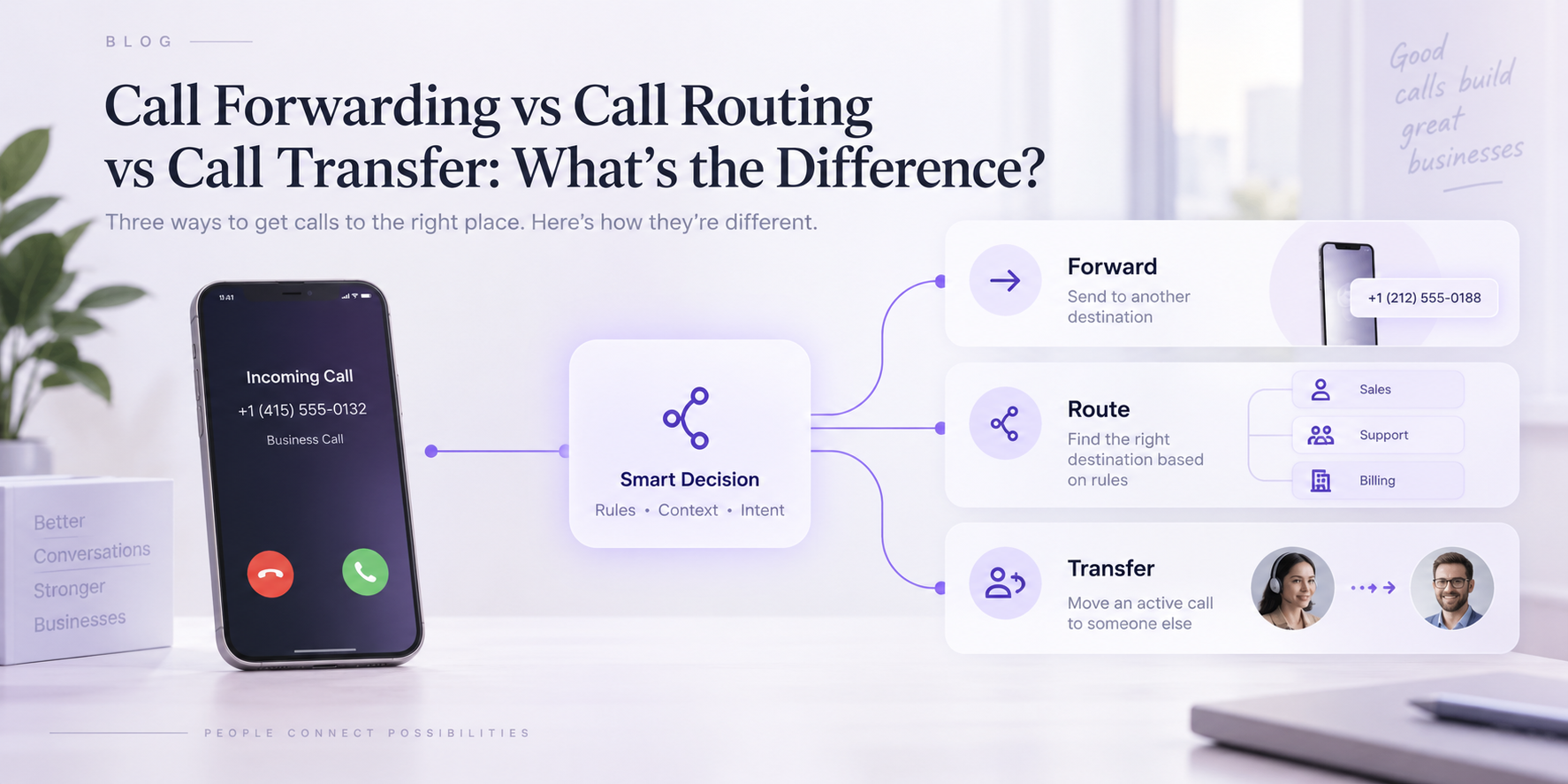
Call forwarding is a routing mechanism. It is not an answering solution by itself.
It decides where the call goes.
The destination still needs to be an employee, answering service, AI receptionist, voicemail box, or another call-handling system.
Option 3: Use a Live Answering Service
A live answering service gives callers access to a human receptionist when your regular team is unavailable.
The receptionist may work from a script or business-specific instructions.
Depending on the provider and plan, the service may be able to:
- Take messages
- Collect lead information
- Answer approved questions
- Schedule appointments
- Transfer certain calls
- Escalate urgent requests
- Provide information for follow-up
The biggest advantage is human flexibility.
A person can often handle unexpected questions, interpret context, adjust the conversation, and recognize situations where the normal script does not fit.
That can be important for businesses dealing with sensitive, complex, or relationship-driven conversations.
What to evaluate
Do not evaluate a live answering service only by whether it offers 24/7 coverage.
Ask:
- How are calls billed?
- What counts toward billable usage?
- Are transfers charged separately?
- Is after-hours or holiday coverage priced differently?
- How detailed can your scripts become?
- Can receptionists access your calendar or CRM?
- How are urgent calls identified?
- What happens if several callers arrive at once?
- How quickly can business information be updated?
The quality of the workflow matters as much as the fact that a human answers.
If you're comparing the two approaches directly, see our guide to AI receptionist vs. traditional answering service.
Option 4: Use an AI Receptionist
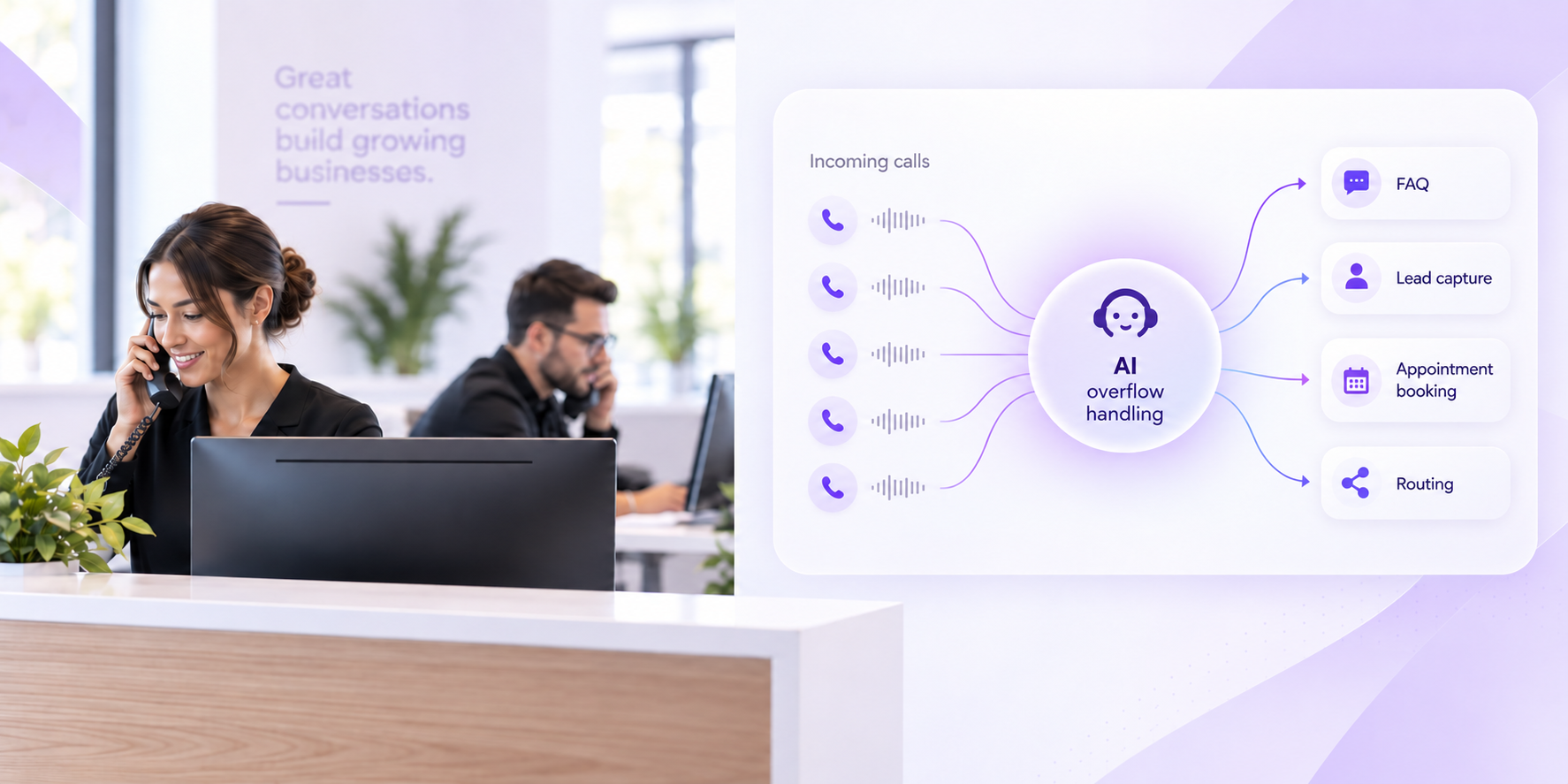
An AI receptionist can answer inbound calls using business-specific information and configured workflows.
Instead of simply recording a message, the system can interact with the caller and determine what needs to happen next.
Depending on the platform, configuration, plan, and integrations, that can include:
- Answering common questions
- Capturing contact information
- Qualifying leads
- Booking appointments
- Routing or transferring calls
- Following business-hours rules
- Creating call summaries
- Recording or transcribing calls
- Filtering unwanted calls
- Handling multiple calls concurrently
This can make AI particularly useful when after-hours call volume is repetitive and structured.
For example, if many evening callers ask:
“Are you open tomorrow?”
“Do you serve my area?”
“Can I schedule an appointment?”
“Can someone call me in the morning?”
Those interactions may not require a person to be on standby all night.
But AI should not automatically be treated as the right solution for every conversation.
Calls involving significant judgment, sensitive situations, professional advice, unusual exceptions, or genuine distress may require a person.
The quality of the setup also matters.
An AI receptionist can only follow the business information, workflows, integrations, and escalation rules it has been given.
Option 5: Use a Hybrid After-Hours Workflow
Many businesses do not need to choose between 100% human and 100% automated answering.
A hybrid system can divide the workload.
For example:
Routine calls → AI
Appointment requests → AI or scheduling workflow
Standard lead intake → AI
Priority customer → direct transfer
Unusual situation → human
Urgent request matching predefined criteria → on-call employee
This model can reduce unnecessary interruptions without removing human judgment from situations where it matters.
It is often a better way to think about automation:
Automate the predictable work. Preserve a clear path to a person for the exceptions.
How Much Does After-Hours Phone Answering Cost?
There is no single useful price for “after-hours answering” because the options are billed differently.
Instead, compare the cost structure.
| Option | Main Cost Driver | Main Trade-Off |
|---|---|---|
| Voicemail | Usually existing phone-system cost + staff callback time | Caller waits for follow-up |
| On-call employee | Wages, overtime, availability, and interruption | Human coverage is limited by capacity |
| Live answering service | Monthly plan plus call/minute usage and possible overages | Cost increases with human handling volume |
| AI receptionist | Subscription, included usage, overages, integrations or workflow requirements | Requires good configuration and clear escalation rules |
| Hybrid | Combination of automation and human coverage | More moving parts to configure |
Published pricing structures vary considerably across providers: some live services bill by receptionist minutes, others by call volume, while AI services commonly use subscriptions with included usage or metered calling. Current provider pricing pages reflect all of these models.
That is why comparing only the headline monthly fee can be misleading.
Look at your likely monthly usage.
Then ask what the cost includes.
For a deeper breakdown of subscription models, included usage, and other cost factors, see how much an AI receptionist costs.
Calculate the real monthly cost
A more useful formula is:
Monthly after-hours cost = subscription + usage/overages + setup/integration costs + human escalation costs + internal follow-up time
The last part is easy to overlook.
A cheap answering option can become operationally expensive if every call creates another manual task the following morning.
Which After-Hours Answering Option Is Right for Your Business?
Use these seven questions.
1. How many calls actually arrive after hours?
Start with your own phone records.
Separate:
- Evenings
- Overnight
- Weekends
- Holidays
- Calls received when the regular team is busy
A business receiving three non-urgent after-hours calls each month has a different problem from one receiving dozens every evening.
2. What are those callers trying to accomplish?
Group calls by intent.
For example:
- Routine question
- New lead
- Appointment request
- Existing customer
- Quote request
- Urgent service request
- Specific employee request
- Spam or irrelevant call
Call volume alone does not tell you which solution you need.
Call intent does.
3. Does something need to happen during the call?
This is one of the most important questions.
Do you simply need the caller's name and number?
Or should the system:
- Ask qualification questions?
- Check service area?
- Book an appointment?
- Transfer the call?
- Flag a high-priority request?
- Send information into another system?
The more that needs to happen before morning, the less useful a passive message-taking workflow becomes.
4. Which conversations require human judgment?
Be explicit.
Some businesses have relatively predictable call flows.
Others regularly deal with sensitive, complex, or unusual conversations.
Do not design the process around what AI or a receptionist can technically answer.
Design it around what the business is comfortable allowing them to decide.
5. Do you need booking, CRM, or other integrations?
If an after-hours caller wants an appointment, what happens next?
If somebody collects the request but your team still has to re-enter everything the next morning, you have only automated part of the process.
Where appropriate, evaluate whether the system can connect with the scheduling or customer-management tools involved in the workflow.
6. Can you keep your existing business number?
For many businesses, changing the public phone number is unnecessary.
Call forwarding can route selected calls from an existing number to another answering destination.
Depending on the phone provider, forwarding may be configured for:
- All calls
- No-answer calls
- Busy calls
- After-hours periods
The exact setup depends on the carrier or business phone system.
7. What happens when the normal workflow fails?
Every system needs a fallback.
Ask:
- What if an appointment cannot be booked?
- What if the caller asks something the system cannot answer?
- What if the human transfer is not answered?
- What if the caller does not fit an expected category?
- What if the contact information is incomplete?
A good after-hours system does not require every call to follow the perfect path.
It needs a clear next step when the perfect path does not happen.
Three Examples of Different After-Hours Workflows
Home-service business
A homeowner calls at 9 PM.
The system collects:
- Name
- Phone number
- Service address
- Type of problem
- Relevant urgency information
A routine request can be prepared for follow-up or booking.
A request matching the business's predefined escalation criteria can follow the on-call routing process.
A genuine threat to life or safety should follow the appropriate emergency-services procedure rather than an ordinary service dispatch workflow.
Appointment-based business
A customer calls after work because they want an appointment.
The system answers common questions and collects the information needed for scheduling.
Where the relevant calendar and booking rules are configured, the appointment may be booked during the same interaction.
Exceptions can be left for staff review.
Professional-service business
A prospective client calls outside office hours.
The system can collect basic intake information and explain approved general information.
But professional advice, sensitive decisions, or matters requiring judgment should remain with the appropriate professional.
The goal is not to resolve every conversation automatically.
It is to make sure the business has enough information to take the right next step.
Where an AI Receptionist Like Rexpt Fits
Rexpt is one option for businesses that want more than voicemail but do not want every after-hours call going directly to an employee.
A configured Rexpt agent can support workflows such as:
- After-hours call answering
- Business-hours routing
- FAQ handling
- Lead capture and qualification
- Appointment booking
- Call routing and transfer
- Call summaries and transcripts
- Spam filtering
- Business-specific knowledge
- Calendar, CRM, and other supported integrations
The important word is configured.
The business still needs to decide:
- What information should be collected?
- Which questions can be answered?
- Which calls should be transferred?
- What counts as an urgent business request?
- What should happen after hours?
- What happens if a transfer fails?
- Which actions require a person?
That is what turns an answering tool into a usable business workflow.
Rexpt's current product pages confirm support for after-hours availability, business-hours routing, appointment booking, lead qualification, call routing, concurrent call handling, transcripts, and related workflows.
After-Hours Phone Answering Setup Checklist
Before changing anything, document your current process.
You should be able to answer:
- What are our normal business hours?
- When do most unanswered calls arrive?
- What are the most common after-hours call types?
- Which questions can be answered without a person?
- Which calls require human judgment?
- What counts as an urgent business request?
- Who is on call?
- What happens if that person does not answer?
- Can appointments be booked after hours?
- What information should every new lead provide?
- Who reviews calls the following morning?
- Where should summaries or lead information go?
- How will we test the workflow before relying on it?
Only after those answers are clear should you decide which technology or service fits the process.
The Best After-Hours System Is the One That Matches the Call
There is no universal winner.
Voicemail can be perfectly adequate when after-hours demand is low and customers can wait.
An on-call employee may be the right choice when most calls require judgment.
A live answering service can provide human coverage without staffing an internal night shift.
An AI receptionist can handle repeatable call workflows around the clock while preserving escalation paths for people.
A hybrid system can combine those approaches.
The mistake is choosing based only on who answers.
Instead, map the call from beginning to end:
Who called?
What do they need?
What information should be collected?
Can the request be handled now?
Does a person need to be involved?
What should happen next?
Once those decisions are clear, choosing the right after-hours answering setup becomes much easier.
Explore how Rexpt handles business calls, routing, booking, and after-hours workflows.
Frequently Asked Questions
What is an after-hours answering service for a small business?

An after-hours answering service handles incoming calls when a business's regular staff are unavailable. Depending on the setup, calls may be handled by a human receptionist, an AI receptionist, an on-call employee, voicemail, or a combination of these options.
How much does an after-hours answering service cost?

Cost depends on the service model, call volume, call duration, integrations, and level of human involvement. Some services bill by call or receptionist minute, while others use monthly packages with included usage. Businesses should compare total expected usage rather than the headline subscription price alone.
Is voicemail enough for after-hours calls?
It can be. Voicemail may work well when call volume is low, requests are non-urgent, and the business has a reliable callback process. It becomes less suitable when callers need immediate answers, qualification, booking, routing, or escalation.
Can I keep my existing phone number with an after-hours answering service?
Often, yes. Businesses can commonly use call forwarding to route calls from their existing number to another answering destination. The exact forwarding options depend on the carrier or phone system.
Is an AI receptionist better than a human answering service?
Neither is universally better. AI can be useful for repetitive, rules-based workflows and high call volumes. Human receptionists are stronger when conversations require judgment, empathy, flexibility, or handling unusual situations. Some businesses use both.
Can an AI receptionist book appointments after hours?
It can when the relevant calendar, availability rules, and booking workflow are supported and configured. Businesses should also define what happens when the requested time is unavailable or the caller's situation requires staff review.
What should happen with urgent after-hours calls?
Businesses should define specific criteria for urgent business requests and an escalation path to the appropriate on-call person. Situations involving an immediate threat to life or safety should follow the appropriate emergency-services procedure rather than an ordinary business call workflow.
On this page
- What Is After-Hours Phone Answering?
- Why After-Hours Coverage Is Really a Workflow Problem
- Option 1: Voicemail and Next-Day Callback
- Option 2: Forward Calls to an Owner or On-Call Employee
- Option 3: Use a Live Answering Service
- Option 4: Use an AI Receptionist
- Option 5: Use a Hybrid After-Hours Workflow
- How Much Does After-Hours Phone Answering Cost?
- Which After-Hours Answering Option Is Right for Your Business?
- Three Examples of Different After-Hours Workflows
- Where an AI Receptionist Like Rexpt Fits
- After-Hours Phone Answering Setup Checklist
- The Best After-Hours System Is the One That Matches the Call
- Frequently Asked Questions
Stop missing
customer calls.
Rexpt answers calls, qualifies leads, and books appointments 24/7.