Call Handling
Published on Aug 27, 2026
AI Receptionist for Overflow Calls: What Happens When Your Team Is Already Busy?

Rexpt Editorial Team
9 min read
Call overflow happens when more customers call than your available team can handle. Learn how an AI receptionist can help manage busy periods, capture enquiries, book appointments, route callers, and preserve human escalation when it matters.
Your business does not need to be understaffed for calls to overflow.
A receptionist can already be helping a customer. A technician can be on-site. Your office manager can be speaking to another caller. Three people can simply call within the same two-minute window.
The problem is not necessarily that nobody works the phones. It is that your available phone capacity and customer demand do not always arrive at the same time.
That is where overflow call handling becomes useful.
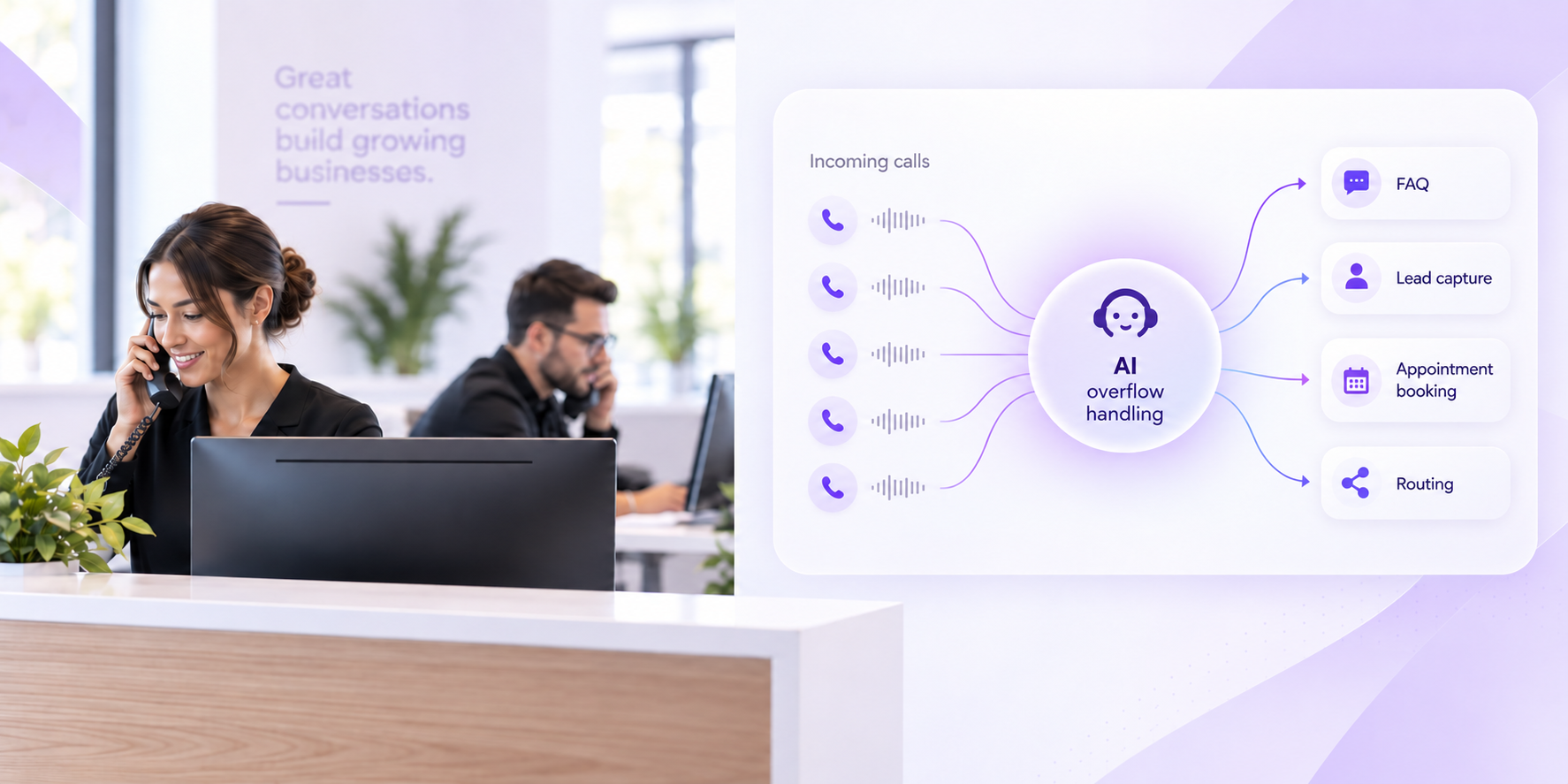
An AI receptionist can act as an additional call-handling layer when your regular team cannot immediately take another conversation. Instead of treating every overflow call the same way, the business can define what the AI should answer, what information it should collect, what it can complete, and when the caller should reach a person.
The goal is not to remove your existing team from the phone. It is to give callers a useful next step when that team is already occupied.
What Are Overflow Calls?
Call overflow happens when incoming call demand temporarily exceeds the number of calls your available team can handle. Overflow may occur because several people call at once, employees are already helping customers, staffing is temporarily reduced, or the business experiences predictable or unexpected spikes in call volume.
Overflow is different from simply having a high monthly call volume.
A company might comfortably manage 300 calls per month but still struggle when four calls arrive at 9:05 on Monday morning. Another business might have enough staff for an average day but become overwhelmed during seasonal demand, lunch breaks, staff absences, or promotional campaigns.
The important question is not only how many calls you receive.
It is what happens when the next caller arrives and everybody who normally answers is already busy.
What Usually Happens When Calls Overflow?
Without a defined overflow process, extra calls typically end up in one of a few places.
They may continue ringing until someone becomes available. They may enter a queue, forward to another employee, reach voicemail, or simply go unanswered depending on the phone setup.
None of these options is automatically wrong. The problem appears when the fallback does not match what the caller is trying to accomplish.
A customer asking for business hours may not need an employee at all. A potential customer requesting an appointment may need information collected before the team calls back. A complex complaint may need a person. An urgent service request may need to follow a specific escalation path.
Treating all four calls as “overflow” without defining the next step leaves the business with the same operational problem.
Why Overflow Is a Workflow Problem, Not Just a Staffing Problem
The obvious response to overflowing calls is to add more people.
Sometimes that is exactly the right decision. If call volume consistently exceeds the team's capacity throughout the working day, the business may genuinely need additional staffing.
But many overflow problems are uneven.
Calls may spike:
- During opening hours
- Around lunch
- After a marketing campaign launches
- During seasonal demand
- While front-desk staff are helping customers in person
- When technicians or professionals are unavailable
- When one team member is absent
- When several callers happen to arrive simultaneously
Hiring permanent staff solely to cover occasional peaks may not always make operational sense.
The more useful question is:
Which overflow calls actually require another employee, and which simply require a reliable workflow?
That distinction is where an AI receptionist can become useful.
How an AI Receptionist Handles Overflow Calls
An AI receptionist does not have to replace the team's normal answering process.
It can be used as an overflow layer.
Depending on the business phone setup, calls that cannot be handled by the regular team can be directed into the AI receptionist workflow. From there, the system can use the business's configured information and rules to determine what should happen next.
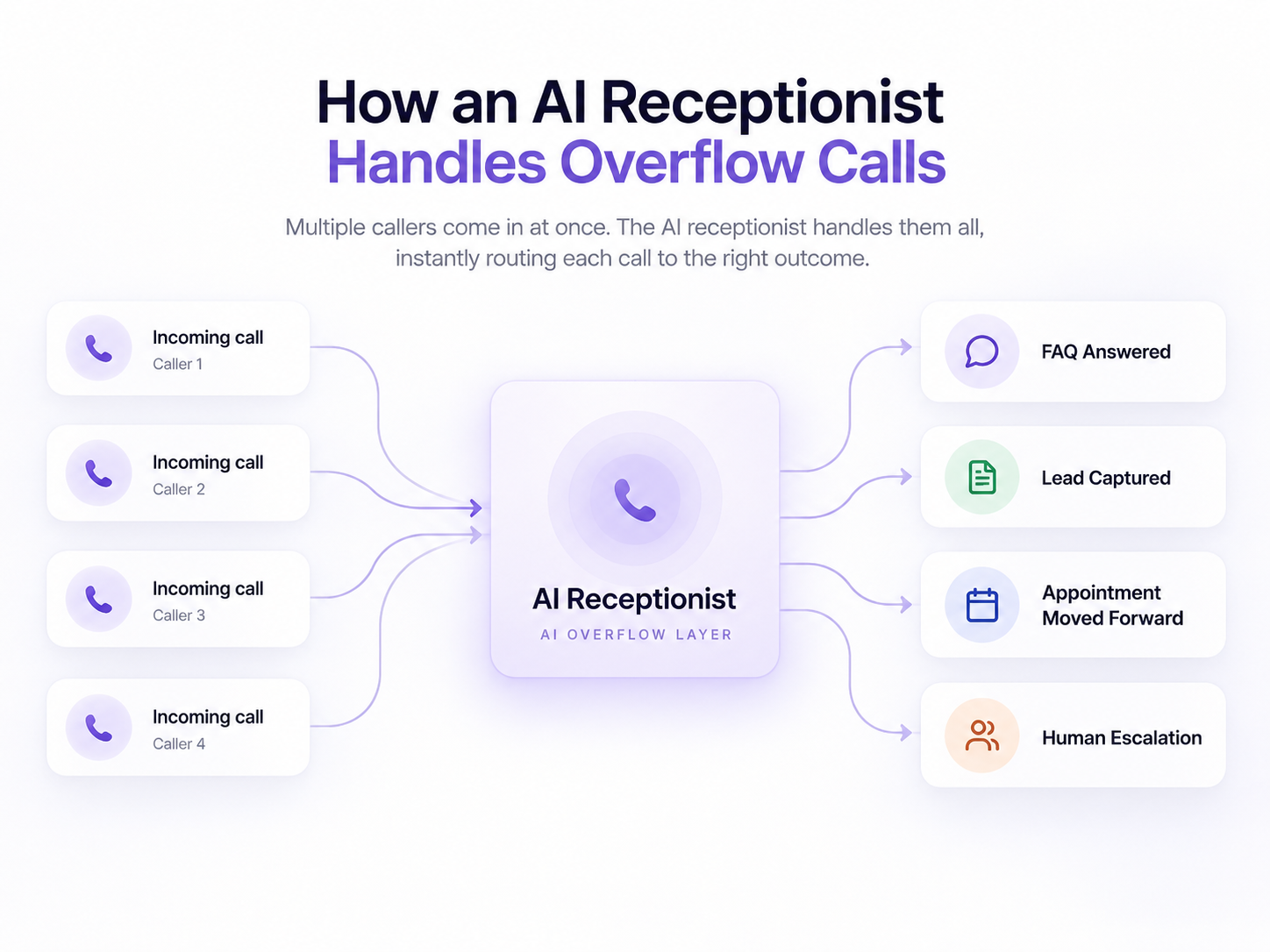
A typical overflow conversation might involve five stages.
1. Understand Why the Caller Is Calling
The first job is not simply answering the phone. It is understanding the caller's intent.
The caller may want to book an appointment, ask a routine question, request a quote, speak with an employee, report a service issue, or make a completely different enquiry.
A conversational AI receptionist can collect that context before deciding what happens next.
That immediately makes the overflow call more useful than a basic missed-call notification.
2. Handle Routine Questions
Some callers simply need information that the business has already defined.
This might include:
- Business hours
- Services offered
- Service areas
- Location information
- Appointment requirements
- General policies
- Other approved FAQs
If the answer exists in the configured business knowledge, the caller may be able to get what they need without waiting for an employee to become available.
That reduces unnecessary interruption without preventing the caller from reaching a person when the conversation requires one.
3. Capture and Qualify New Enquiries
An overflow call may be a genuine new-business opportunity.
Instead of simply asking the caller to leave a message, an AI receptionist can collect structured information such as the caller's name, contact details, reason for calling, service requirement, location, or other qualification details the business has chosen to request.
The exact questions should depend on the workflow.
A plumbing company may need different information from a dental practice, real-estate office, or professional-services firm.
The purpose is not to interrogate the caller. It is to give the team enough context to understand what happened and what should happen next.
4. Move Appointment Requests Forward
Some overflow calls are simply people trying to get onto the calendar.
Where the required scheduling workflow and integrations are configured, an AI receptionist can help handle appointment requests while the regular team is busy.
That may involve collecting the required details, working with available scheduling rules, or creating a structured next step for the team.
The key is that the caller does not have to start the entire process again simply because nobody at the front desk was free at that exact moment.
5. Route or Escalate When a Human Is Needed
Not every overflow call should stay automated.
Some callers need a particular department or employee. Other conversations may involve an exception, sensitive issue, complaint, unusual request, or situation that requires human judgment.
A well-designed overflow workflow should define those boundaries before the call happens.
The AI's job may simply be to understand the reason for the call, collect the relevant context, and route or transfer the conversation according to the business's rules.
Human escalation is not a failure of overflow automation. It is one of the outcomes the workflow should be designed to support.
AI Overflow Answering vs. Voicemail
Voicemail is one of the simplest ways to deal with excess calls.
For some businesses, it is enough.
The main difference is that voicemail asks the caller to provide whatever information they think is important. An AI receptionist can have a structured conversation and collect information the business has specifically decided it needs.
| Capability Voicemail | Voicemail | AI Receptionist Overflow |
|---|---|---|
| Capture a message | No | Yes, within the configured workflow |
| Answer known FAQs | No | Yes |
| Collect structured lead information | Depends on caller | Yes |
| Support appointment workflows | No | Yes, when configured |
| Route or transfer selected calls | No | Yes, based on configured rules |
| Provide structured call context | Limited to message | Can provide call summaries and captured details |
That does not mean every business should eliminate voicemail.
Voicemail can still be a valid fallback when the caller does not want to continue with automation or when another part of the workflow is unavailable.
The stronger setup is the one where the business has deliberately decided when voicemail is appropriate, rather than allowing it to become the default destination for every busy call.
AI Overflow Answering vs. a Human Answering Service
A human answering service can also provide overflow coverage.
This can be useful where conversations frequently involve unusual situations, sensitive interactions, or human judgment.
An AI receptionist is more relevant where much of the overflow is repeatable: FAQs, lead capture, qualification, appointment requests, routing, and other structured front-desk tasks.
The choice does not need to be ideological.
Some businesses may prefer primarily human overflow coverage. Others may automate routine overflow calls and preserve human escalation for defined situations. A hybrid setup can also make sense.
The decision should depend on what overflow callers actually need, not simply whether the business prefers “AI” or “human.”
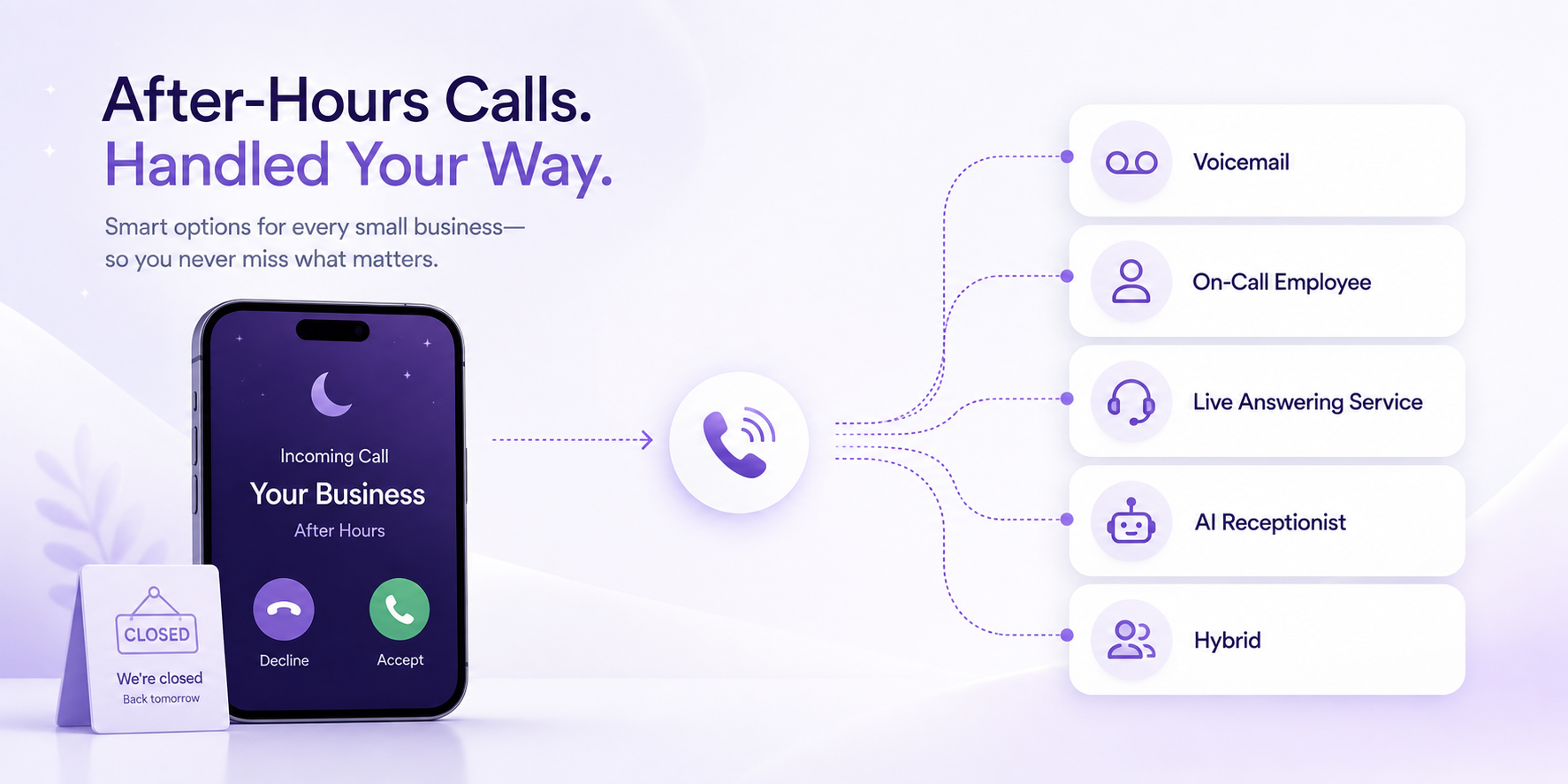
Overflow Calls and After-Hours Calls Are Not the Same Thing
Overflow and after-hours coverage are closely related, but they solve different problems.
Overflow means the business may be open and staffed, but the available team cannot handle another call at that moment.
After-hours means the regular staffed operation is closed or unavailable.
The workflows may overlap. The same AI receptionist could potentially answer routine questions, capture enquiries, support appointment requests, or route selected callers in both situations.
But the business rules may be different.
For example, an employee may be available for certain escalations during business hours but not at 10:00 PM. An after-hours call may therefore require a different routing or fallback path from a daytime overflow call.
If after-hours coverage is a separate problem for your business, see our guide to after-hours phone answering for small businesses.
Example: A Home-Service Business During a Morning Rush
Imagine a home-service company on Monday morning.
The office manager is already speaking to a customer. Another caller wants to schedule routine service. A third wants to know whether the company covers their ZIP code. A fourth describes a situation that matches the business's configured escalation criteria.
Without overflow coverage, several of those callers may wait, reach voicemail, or require employees elsewhere in the company to interrupt what they are doing.
With a defined AI overflow workflow, the routine service enquiry can move through the booking or intake process. The service-area question can be answered from approved business information. The higher-priority request can follow the configured escalation path.
The employee already speaking to the first customer does not need to abandon that conversation simply because three other people called at once.
Example: An Appointment-Based Business
Consider a dental office, wellness business, physical-therapy practice, or salon.
The front-desk employee is checking in a customer while the phone is already occupied with another caller. Another person calls to ask about appointment availability.
That enquiry does not necessarily need to become voicemail.
An AI receptionist can collect the appointment request and, where the appropriate scheduling workflow is configured, help move the booking forward. If the caller has a question outside the defined workflow or needs staff assistance, the system can preserve a route back to a person.
The purpose is to reduce the collision between serving the person in front of you and responding to the person calling you.
Example: A Professional-Service Business
Professional-service businesses often receive calls that need different levels of attention.
One caller may want office hours. Another may be a new prospect who needs intake. Another may be an existing client asking for a particular professional.
An overflow receptionist can handle the routine parts of those interactions while preserving the boundary around professional advice, sensitive discussions, or decisions that require expertise.
For these businesses, automation may be most valuable at the intake and routing layer, not at the point where professional judgment begins.
When an AI Receptionist Is a Good Fit for Overflow Calls
AI overflow coverage becomes particularly relevant when the business has a meaningful amount of repeatable phone work.
Signs it may be worth evaluating include:
- Calls frequently arrive while employees are already on another call
- Front-desk staff are regularly interrupted while helping customers in person
- Several enquiries arrive during predictable peak periods
- Seasonal call spikes overwhelm normal staffing
- Valuable calls frequently reach voicemail
- Employees spend significant time returning calls that could have been handled initially
- Most overflow calls involve repeatable FAQs, intake, qualification, scheduling, or routing
- The business wants a defined fallback without immediately adding permanent phone staff
If the calls themselves are mostly complex, sensitive, or dependent on expert judgment, a human-first overflow model may make more sense.
How to Set Up an Overflow Call Workflow
The technology should come after the workflow.
Before turning on overflow automation, define how the business currently handles excess calls and where the actual gaps occur.
Step 1: Measure When Calls Overflow
Review your call records and identify when your team is unable to answer.
Look for patterns by:
- Time of day
- Day of week
- Number of simultaneous calls
- Seasonal periods
- Staff availability
- Marketing campaigns
- Business events
This helps distinguish occasional overflow from a structural staffing problem.
If missed calls are already a concern, our missed-call cost calculator provides a framework for estimating the potential business exposure using your own call data.
Step 2: Define Which Calls AI Can Handle
List the repeatable conversations that already have a clear answer or process.
Examples might include FAQs, basic lead intake, appointment requests, service-area questions, callback requests, or routing to known departments.
Do not start with “What can AI technically do?”
Start with:
“Which calls already have a clearly defined business process?”
Step 3: Define Human Escalation Rules
Next, identify the calls that should leave the automated workflow.
That might include requests requiring professional judgment, sensitive complaints, unusual exceptions, selected high-priority enquiries, or callers who explicitly need a person.
The exact boundary should be defined by the business.
Step 4: Define the Fallback
Every overflow process needs a fallback.
Ask what happens if:
- The AI cannot understand the request
- Required information is unavailable
- A scheduling action cannot be completed
- A transfer is not answered
- The caller does not want to continue
- The request falls outside the configured workflow
Possible fallbacks can include another employee, an on-call contact, a callback request, voicemail, or another defined destination.
Step 5: Test Realistic Calls
Do not test only perfect scenarios.
Test callers who change their minds, ask two questions at once, give incomplete information, request something the business does not offer, ask for a person, or call when the intended transfer destination is unavailable.
Overflow coverage needs to work during messy calls, not just demonstrations.
What Should You Measure After Launch?
Once overflow handling is active, look beyond the number of calls answered.
Useful measures can include:
- Number of calls routed into overflow
- Caller intent by overflow call
- Qualified enquiries captured
- Appointment requests handled
- Calls successfully routed or transferred
- Calls requiring human follow-up
- Time between the call and human follow-up
- Overflow calls that still reach voicemail
- Common reasons automation cannot complete the workflow
These metrics help answer a more useful question than “Did the AI pick up?”
They tell you whether the overflow system produced a meaningful next step.
Where Rexpt Fits Into Overflow Call Handling
Rexpt can be configured to support business call workflows during periods when the regular team is unavailable or already occupied.
Depending on the business setup, Rexpt can help answer routine enquiries, capture and qualify leads, support appointment booking, route or transfer calls, handle concurrent inbound conversations, and provide call summaries for the team afterward.
That makes overflow one potential use case rather than requiring the AI receptionist to replace the existing front desk.
The business can continue handling the calls it wants its team to answer while using the AI workflow for calls that would otherwise wait, interrupt another employee, or fall into voicemail.
The important part is defining the boundary clearly: what should the AI complete, what should it route, and what should remain human?
Your Overflow Call Checklist
Before choosing an overflow solution, answer these questions:
- When does our team actually run out of answering capacity?
- Is overflow occasional, predictable, seasonal, or constant?
- What percentage of overflow calls are routine?
- Which information should be collected from new enquiries?
- Which calls can be completed without an employee?
- Which calls should always reach a person?
- Can callers request a human?
- What happens if a transfer is not answered?
- What happens if the normal workflow cannot be completed?
- Do after-hours calls need different rules?
- Who reviews call summaries and owns follow-up?
- How will we measure whether overflow coverage is actually working?
If those questions do not have clear answers, adding technology alone will not solve the problem.
Overflow Coverage Should Protect the Work Already Happening
A busy phone is often a good sign. It means customers are trying to reach the business.
The problem begins when handling the next caller requires interrupting the customer or task your team is already responsible for.
Overflow coverage creates another option.
Routine calls can continue through a defined workflow. New enquiries can be captured. Appointment requests can move forward. Calls that need a person can follow an escalation path.
Your existing team can keep doing the work already in front of them.
That is the real purpose of an AI receptionist for overflow calls: not replacing the people who answer your phones, but creating a reliable next step when those people are already busy.
Frequently Asked Questions
What is an AI receptionist for overflow calls?

An AI receptionist for overflow calls handles inbound conversations when the regular team is already busy or cannot answer another call. Depending on the configured workflow, it can answer routine questions, capture caller information, support appointment requests, route calls, or create a structured follow-up.
How is overflow call answering different from after-hours answering?

Overflow call answering is used when the business may still be open but its available team cannot handle another call. After-hours answering covers calls outside the business's normal staffed hours. The two workflows can use similar technology but may require different routing and escalation rules.
Can an AI receptionist handle multiple calls at the same time?
AI receptionist systems can support concurrent call handling, depending on the platform and configuration. This can be useful when several callers contact the business while the regular team is already occupied.
Should every overflow call be handled by AI?
No. Routine and clearly defined workflows are better candidates for automation. Calls involving professional judgment, sensitive situations, unusual exceptions, or other circumstances defined by the business should have an appropriate human escalation path.
Is an AI receptionist better than an answering service for overflow calls?
Not automatically. A human answering service can be appropriate when calls frequently need human judgment or sensitive interaction. An AI receptionist can be useful when overflow calls are largely repeatable, such as FAQs, lead capture, appointment requests, qualification, and routing. Some businesses may benefit from a hybrid approach.
On this page
- What Are Overflow Calls?
- What Usually Happens When Calls Overflow?
- Why Overflow Is a Workflow Problem, Not Just a Staffing Problem
- How an AI Receptionist Handles Overflow Calls
- AI Overflow Answering vs. Voicemail
- AI Overflow Answering vs. a Human Answering Service
- Overflow Calls and After-Hours Calls Are Not the Same Thing
- Example: A Home-Service Business During a Morning Rush
- Example: An Appointment-Based Business
- Example: A Professional-Service Business
- When an AI Receptionist Is a Good Fit for Overflow Calls
- How to Set Up an Overflow Call Workflow
- What Should You Measure After Launch?
- Where Rexpt Fits Into Overflow Call Handling
- Your Overflow Call Checklist
- Overflow Coverage Should Protect the Work Already Happening
- Frequently Asked Questions
Stop missing
customer calls.
Rexpt answers calls, qualifies leads, and books appointments 24/7.