Open Help & Support
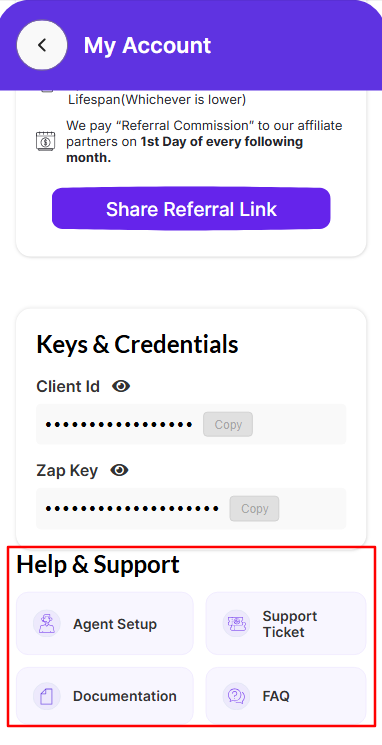
Sign in to Rexpt, open My Account from your dashboard by clicking on your Profile pic in the top-left corner, and scroll to Help & Support.
The current Help & Support section provides these options:
- Agent Setup
- Support Ticket
- Documentation
- FAQ
Schedule an agent setup call
Step 1 — Select Agent Setup
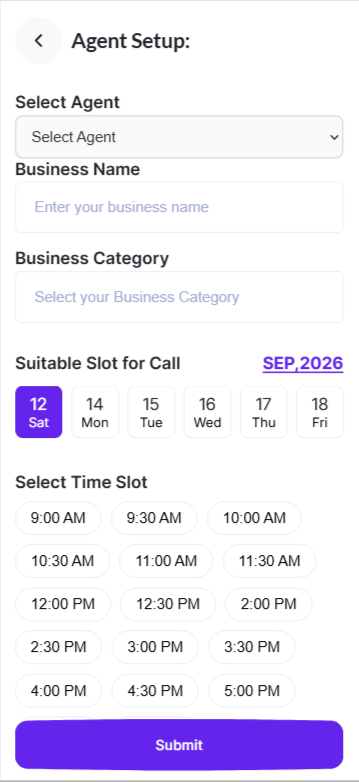
From Help & Support, select Agent Setup.
Step 2 — Select the agent
Choose the relevant agent from Select Agent. The screen also shows the Business Name and Business Category associated with the selected agent.
Step 3 — Choose a date and time
Choose an available date under Suitable Slot for Call, then select one of the available time slots.
Step 4 — Submit the request
Review the selected agent, date, and time, then select Submit.
Create a support ticket
Step 1 — Open Support Ticket
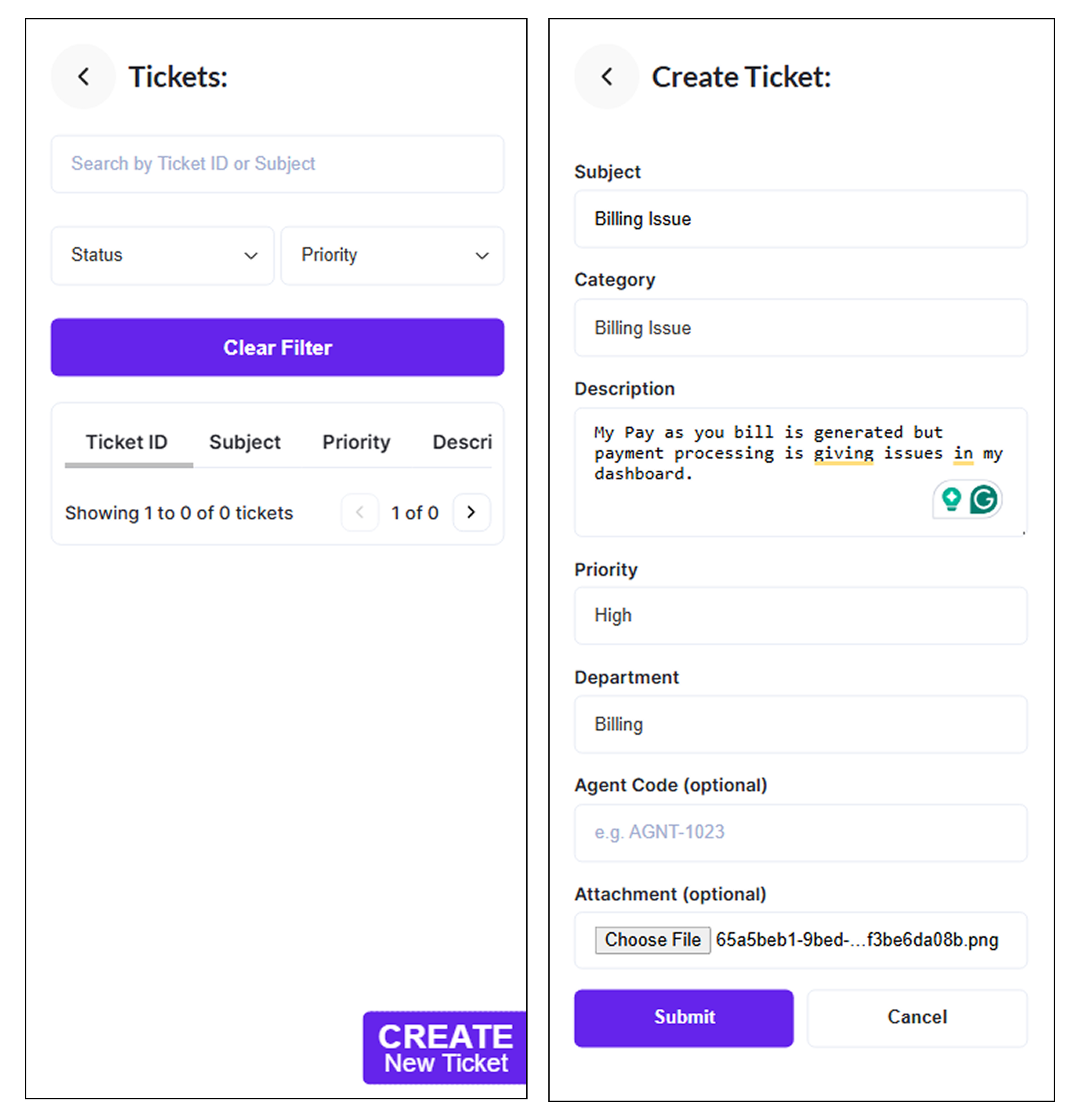
From Help & Support, select Support Ticket to open the Tickets screen.
[Screenshot placeholder: Tickets screen]
Step 2 — Select Create New Ticket
Select Create New Ticket to open the ticket form.
Step 3 — Complete the ticket details
The Create Ticket screen includes the following fields:
- Subject
- Category
- Description
- Priority
- Department
- Agent Code (optional)
- Attachment (optional)
Step 4 — Submit the ticket
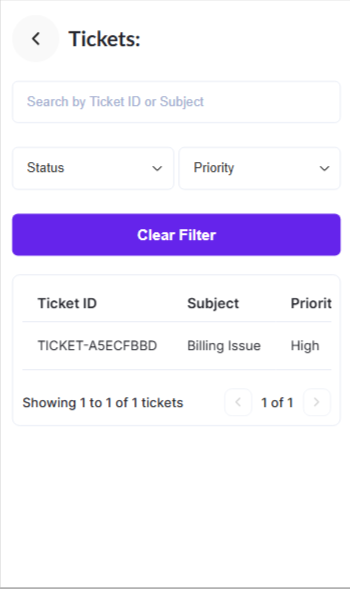
Review the information and select Submit. Use Cancel if you do not want to create the ticket. You will see all the submitted tickets on the same page.
Documentation and FAQ
The Help & Support section also includes Documentation and FAQ options for self-service help.